![Cnsrv_wmM_mix_rgb - MEDIUM-1.png]](https://support.conserv.io/hs-fs/hubfs/Cnsrv_wmM_mix_rgb%20-%20MEDIUM-1.png?height=40&name=Cnsrv_wmM_mix_rgb%20-%20MEDIUM-1.png)
Sensor History
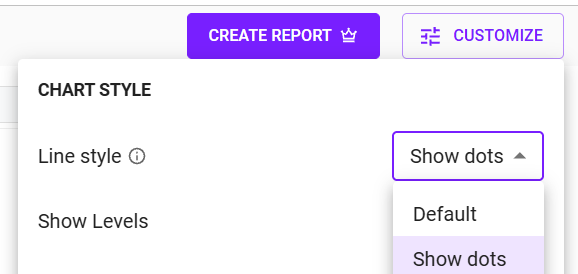
If your sensor consistently reports less frequently, it could be a range issue. To verify, select the Show Dots option in Line style in the CUSTOMIZE menu and check if the dots are present every 15 minutes. If there are longer gaps, it could indicate either a range, gateway, or sensor battery issue.
Gateways
To rule out a gateway issue, select several sensors that you know are using the same gateway. Turn on the Show Dots option as before. If the reading gaps all line up at the same time for different sensors, it is a gateway issue. For more information, see Troubleshoot Gateway Issues.
Sensor Reset
If the issue does not appear to be your gateway, soft reset your sensor to see if it comes back online.
If the soft reset does not resolve the issue, hard reset your sensor.
Caution
Resetting a sensor with serial numbers above c006000 that has not seen a gateway for some time can wipe the timestamps that have not been infilled. Always perform a bluetooth gap infill before resetting a sensor. Note that updating firmware will also cause the sensor to be reset.
Battery Status
If none of the above options resolve the issue, it is possible that the sensor has prematurely run out of battery life. This can happen if the sensor is moved a lot or if one of the batteries does not have a strong connection to the gateway. Contact the Support Team to confirm that you are having battery issues. Do not dispose of the batteries before Conserv Support confirms the issue.